






























Geometry Arrow

About Geometry Arrow
Geometry Arrow is a free online rhythm-driven platformer distributed by Playgama, built in the same spirit as Geometry Dash but stripped down to its sharpest, most minimal form. You guide a simple white arrow through a dark tunnel filled with spikes, sawblades, and split ramps, rising and falling with a single tap or click. Across 12 levels plus a hidden bonus stage, each set to its own upbeat soundtrack, the game asks you to read the beat of the music as much as the shapes on screen — a rising drumroll often signals a tall obstacle ahead, while a sudden bass drop can mean it’s time to dive under a low overhang.
Geometry Arrow runs entirely in the browser with no download or install required, and its single-input control scheme — hold to rise, release to fall — works identically on desktop mouse/keyboard and mobile touchscreens. With clean, minimal visuals and instantly graspable controls, it’s the kind of game you can open for a quick, high-intensity thrill any time you have a few free minutes, provided you don’t mind restarting from scratch after one bad tap, since there are no mid-level checkpoints.
Controls
| Action | Control |
|---|---|
| Ascend (PC) | Hold Left Mouse Button or Spacebar |
| Descend (PC) | Release Left Mouse Button or Spacebar |
| Ascend (Mobile) | Touch and Hold Anywhere on Screen |
| Descend (Mobile) | Release Touch |
Reading the Beat and the Obstacles
Each level’s music in Geometry Arrow isn’t just background noise — it’s a cue system. A rising drumroll often hints at a tall barrier coming up, while a sudden bass drop can mean you need to let go and dive under a low overhang. Early levels introduce hazards one at a time, like simple spikes, sawblades, and split ramps, giving you room to learn that a quick tap clears a small spike while a longer hold soars over a tall one. As you progress, obstacles start compounding into narrow corridors of spikes that require rapid, precise zig-zag taps to slip through cleanly.
12 Levels and a Hidden Bonus Stage
Geometry Arrow spreads its challenge across 12 numbered levels, each with its own music track and obstacle patterns that escalate in difficulty, plus a hidden bonus stage for players who want an extra test of their timing. Your progress within a level is tracked by a bar at the top of the screen, but there are no checkpoints — a single mistake near the end sends you all the way back to the start of that level.
Tips for Winning at Geometry Arrow
Play a level a few times purely to learn its layout before trying to clear it in one run — memorizing the rhythm of the obstacles matters as much as raw reflexes. Use short taps for small spikes and longer holds for tall barriers, and practice transitioning quickly between the two so you’re not caught mid-air when the pattern changes. Trust the music: if you hear a buildup, expect something big coming, and if the beat drops out suddenly, be ready to dive. Take breaks when frustration builds — a tense grip and rushed taps are usually what cause late-run mistakes.
How to Play Geometry Arrow
- Start the level — Your arrow appears at the left edge of the screen and begins moving automatically.
- Hold to rise — Press and hold the mouse, spacebar, or screen to lift the arrow upward.
- Release to fall — Let go to bring the arrow back down.
- Time your taps to obstacles — Use short taps for small spikes and longer holds for tall barriers.
- Listen to the music — Use the beat as a cue for upcoming hazards.
- Track your progress — Watch the progress bar at the top, and be careful since one mistake resets the level.
- Clear all 12 levels — Work through every level and try to find the hidden bonus stage.
Developer
Geometry Arrow is distributed by Playgama, available to play for free on OnlineGames.io with no download or account required.
More Games Like This
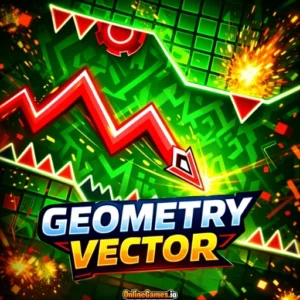
If you love the minimalist challenge and rhythm-based jumps in Geometry Arrow, try Geometry Dash for the game that inspired it, or Space Waves, where you guide a glowing orb through neon tunnels timed to an electronic soundtrack.